How to set up clarinet looping in 5 steps: 1) Choose a loop pedal or DAW looper; 2) Use a condenser or clip microphone positioned near the bell/keywork; 3) Connect mic -> pedal/DAW -> amp/PA; 4) Record a steady rhythm or pedal tone, then overdub harmonies; 5) Use a metronome, manage latency, and practise circular breathing for long sustains.
What are Clarinet Looping Techniques?
Clarinet looping techniques are methods for recording short musical phrases on clarinet and repeating them in real time so you can layer harmonies, rhythms, and textures. Players use loop pedals or DAW loopers, microphones, and careful timing to build multi-layered arrangements, often in live performance, without needing a full band.
Looping started with tape loops used by composers like Steve Reich and experimental rock artists in the 1960s. With the rise of stompbox loopers such as the Boss RC series and software like Ableton Live, wind players began adapting looping to clarinet, saxophone, and flute, combining acoustic tone with electronic repetition.
Clarinet looping techniques include single-phrase loops, multi-part arrangements, rhythmic key-click patterns, and live improvisation over a pre-recorded bed. These approaches demand solid rhythm, breath control, and a clear understanding of your signal chain so each new layer stays in time and blends sonically with previous loops.
Looping adoption by wind players: Approx. 35-45% of conservatory-level clarinetists report experimenting with loopers or DAW looping, and many aim to build 5-10 minute solo looping sets for recitals or gigs.
From an instrument anatomy perspective, clarinet looping must account for how sound radiates from the bell and tone holes. Lower notes project more from the bell, while middle and upper registers radiate along the body. Mic placement and EQ must capture this full range so loops sound natural and balanced.
Why Clarinetists Are Embracing Looping (Creative Outcomes)
Clarinetists are embracing looping because it turns a single-line instrument into a self-contained ensemble. You can create bass lines, chords, counter-melodies, and percussion-like textures, then improvise on top. This opens new possibilities for solo concerts, busking, school recitals, and online content.
Looping also supports cross-genre work. A classical player might stack Debussy-like clusters, while a jazz clarinetist builds walking bass plus comping figures. Folk and klezmer players can loop drones and ostinatos, then spin dance tunes over the top. Artists like Evan Ziporyn and Michael Lowenstern have helped normalize electronics with clarinet.
Creative outcomes are easier to track when you set clear goals. For example, aim to build a 3-layer loop that stays in time for 60 seconds, then a 5-minute mini-set with intro, groove, solo, and outro. These milestones make looping practice feel like progressing through etudes or orchestral excerpts.
Practice milestones: 1) 30-second stable loop within 1 week; 2) 3-layer harmony loop within 2-3 weeks; 3) 5-minute structured looping set within 6-8 weeks of focused practice.
Looping also sharpens core musicianship. Recording yourself in real time exposes timing flaws, uneven tone, and intonation issues. Clarinetists who loop regularly often report tighter rhythm, better dynamic control, and more confidence improvising, whether in jazz combos, new music ensembles, or solo recitals.
Finally, looping encourages collaboration. A clarinetist can provide evolving textures for dancers, poets, or visual artists, or share stems with producers who build beats around the acoustic clarinet sound. This flexibility makes looping attractive to students and professionals looking to expand beyond traditional orchestral paths.
Important Gear: Loop Pedals, Microphones, and DAW Options
To start with clarinet looping techniques, you need three core elements: a looping device (pedal or DAW), a microphone that captures clarinet tone accurately, and a reliable monitoring system such as an amp, powered speaker, or headphones. Each choice affects timing, tone, and ease of use on stage.
Loop pedals for clarinet
Popular loop pedals include the Boss RC-5, Boss RC-500, TC Electronic Ditto, and Electro-Harmonix 720. For clarinet, look for at least 2 tracks, undo/redo, and quantize or rhythm guide options. Multi-track loopers help you separate bass lines from melodies for clearer mixes and easier live control.
Pedals with built-in drum patterns, like the Boss RC-10R, can help clarinetists lock in timing. However, beginners may prefer a simple single-button looper like the Ditto to focus on clean entries and exits. Make sure the pedal has an instrument or mic-level input appropriate for your chosen microphone and preamp.
Microphone choices for clarinet looping
Clarinet looping benefits from microphones that capture both the bell and keywork. Small-diaphragm condensers such as the Shure SM81, AKG C451, or Rode M5 give detailed, bright tone. Clip-on condensers like the DPA 4099 or Audio-Technica ATM350 are popular for live use because they stay in a consistent position as you move.
Dynamic mics like the Shure SM57 can work in loud environments, but may miss some high-frequency detail and key noise that give loops character. For studio DAW looping, a large-diaphragm condenser like the Audio-Technica AT4040 or Neumann TLM 102 can capture a warm, woody sound, especially on wooden clarinets.
DAW loopers and audio interfaces
Software loopers in Ableton Live, Logic Pro, Reaper, and MainStage give deep control over layers, effects, and routing. To use them effectively with clarinet, you need a low-latency audio interface such as Focusrite Scarlett, MOTU M2, or Universal Audio Volt, plus an XLR mic input and phantom power for condensers.
DAW looping is ideal for studio work, complex arrangements, and integration with backing tracks or click tracks. For live shows, many clarinetists combine a hardware looper for core layers with a laptop-based rig for additional effects or pre-programmed sequences, balancing reliability with flexibility.
Latency targets: Aim for a total round-trip latency under 10 ms for DAW looping. Many players find 5-8 ms comfortable; above 15 ms, timing and feel become noticeably harder to control.
Setting Up Your Clarinet for Looping: Mic Placement & Signal Chain
Clarinet anatomy strongly influences mic placement for looping. Low E to chalumeau notes project mainly from the bell, while clarion and altissimo notes radiate from tone holes along the body. A single mic must balance these zones so your loops do not sound thin in one register and boomy in another.
Mic placement for balanced clarinet loops
For a stand-mounted condenser, start with the mic 12-18 inches in front of the clarinet, slightly above the bell, angled down toward the lower joint. This captures bell warmth plus keywork detail. Adjust distance to control room sound: closer for tight, dry loops; farther for natural ambience.
With a clip-on mic, attach near the lower joint, pointing toward the keys between left and right hand. This position hears both bell and tone holes, and moves with you on stage. Avoid pointing directly into the bell, which can exaggerate low notes and key noise, especially in looping layers.
Building a clean signal chain
A simple live looping signal chain is: clarinet -> mic -> preamp or audio interface -> loop pedal or DAW -> amp/PA or headphones. If your pedal only accepts instrument-level signals, use a small mixer or interface with a mic preamp before the pedal. Keep cable runs short and use balanced XLR where possible.
For DAW setups, run mic -> audio interface -> computer/DAW -> interface outputs -> monitor speakers or PA. Use direct monitoring or low buffer sizes to reduce latency. Label cables clearly and secure them with Velcro ties so you can set up quickly in rehearsal rooms, clubs, or school halls.
EQ and gain staging for clarinet tone
Clarinet looping techniques benefit from subtle EQ. Roll off low frequencies below 80 Hz to reduce rumble, and gently cut around 300-400 Hz if the sound is boxy. A small boost around 2-5 kHz can bring out articulation and key clicks, which help rhythmic loops cut through.
Set input gain so your loudest playing peaks around -6 dB on your interface or mixer. This prevents clipping when you add multiple layers. On loop pedals, avoid maxing the input level; leave headroom so overdubs do not distort. Test your loudest dynamics before a show to confirm safe levels.
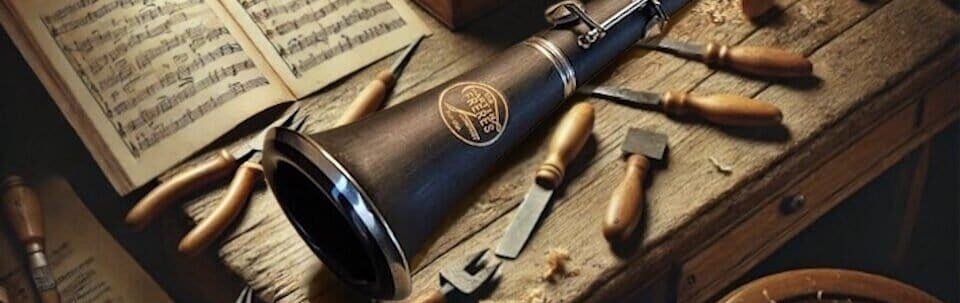
Field Note from the Martin Freres archive: Early 20th-century Martin Freres clarinets were sometimes used in experimental tape-loop studios because of their focused, projecting tone. Engineers often placed ribbon mics slightly above the bell to capture the woody core while avoiding harshness in the upper register.
Step-by-Step Beginner Looping Exercises
Beginner clarinet looping techniques should focus on timing, clean entries, and simple textures. Treat these exercises like technical studies. Work slowly, use a metronome or built-in rhythm guide, and record your sessions so you can hear where loops drift or stack unevenly.
Exercise 1: Single-note pedal tone loop
Set a metronome at 60-72 bpm. Choose a comfortable note like open G. Breathe, then play long, even tones in quarter notes for 2 measures. Hit record exactly on beat 1 and stop on beat 1 after 2 bars. Let the loop play and listen for clicks or timing gaps, then adjust.
Repeat with different notes across the chalumeau and clarion registers. This builds awareness of how your attack and release affect loop seams. Aim for a 30-second loop that feels smooth and does not drift against the metronome. Only move on when this feels automatic.
Exercise 2: Two-layer rhythmic ostinato
Next, create a simple rhythmic pattern, such as low E and F in a syncopated eighth-note groove. Loop 1: record the ostinato for 2-4 bars. Loop 2: overdub a contrasting rhythm on a different note, like B or C, leaving space so the patterns interlock instead of cluttering.
Keep dynamics moderate so the second layer does not overpower the first. Practice starting and stopping overdubs exactly on beat 1. This exercise teaches you to feel the bar line and to leave sonic room for future layers, a key skill in live looping sets.
Exercise 3: Three-part harmony stack
Choose a simple chord progression, such as D minor to G minor. Loop 1: play a low pedal tone or arpeggio outlining the roots. Loop 2: add a middle voice in thirds or sixths. Loop 3: add a higher melodic fragment that repeats every 2 or 4 bars.
Use a tuner to check intonation on held notes, since tuning errors multiply with each layer. Record yourself, then listen back without playing. Note where balance, tuning, or timing sag, and repeat until you can keep a 3-layer loop stable for at least 60 seconds.
Exercise 4: Melody over a looped groove
Combine your skills by building a bass ostinato plus a simple chordal or rhythmic layer, then stop overdubbing and improvise a melody over the loop. Use scales you know well, such as D Dorian or G major. Focus on phrasing, breathing, and dynamic contrast against the static loop.
Set a goal of a 2-minute mini-performance: 30 seconds to build the loop, then 90 seconds of melodic improvisation. This mirrors real performance conditions and helps you manage nerves, breath, and musical structure while the loop keeps going.
Advanced Techniques: Circular Breathing, Effects, and Harmonic Layering
Once basic clarinet looping techniques feel secure, you can explore circular breathing, advanced effects, and richer harmonic language. These tools help you sustain drones, create evolving textures, and blur the line between acoustic clarinet and electronic sound design.
Circular breathing for sustained loops
Circular breathing lets you maintain continuous sound by storing air in your cheeks and inhaling through your nose while pushing air out with cheek muscles. For looping, this is useful for long drones, pedal tones, and smooth swells without audible breaks.
Start away from the clarinet by practising blowing bubbles in water through a straw while inhaling through your nose. Then transfer to the mouthpiece and barrel, sustaining soft notes. Gradually integrate circular breathing into simple looped drones before using it in performance.
Using effects with clarinet loops
Effects such as reverb, delay, chorus, and octave pedals can dramatically expand clarinet looping textures. Place reverb and delay after the looper if you want the whole looped ensemble in the same space, or before the looper if you want each new layer to have its own effect character.
Subtle chorus or pitch-shifting can simulate chords from a single clarinet line. An octave-down effect can create convincing bass clarinet or contrabass roles, especially when combined with low-register fingerings. Experiment with gentle distortion for percussive key-click loops, but avoid harsh settings that mask clarinet articulation.
Harmonic and textural layering ideas
For advanced harmonic layering, think like an arranger. Use the low register for roots and fifths, the middle register for chord tensions (9ths, 11ths, 13ths), and the upper register for melodic fragments. Limit each loop to a clear function so the final texture stays transparent.
Texturally, explore key-click percussion, breathy subtone, slap tonguing, and multiphonics. Record a soft noise bed, then overlay clear melodic lines. Alternate between dense sections and sparse, single-line passages to keep listeners engaged during longer looping performances.
Maintenance & Care for Looping Rigs and Your Clarinet
Reliable clarinet looping techniques depend on a stable rig and a well-maintained instrument. Inconsistent reeds, sticky pads, or noisy cables can ruin a looped performance. A simple pre-show checklist reduces surprises and keeps your tone and timing consistent from rehearsal to stage.
Clarinet maintenance for consistent looping tone
Before looping sessions, swab your clarinet thoroughly to prevent moisture from affecting pads and tone. Check that all keys seal properly, especially low E and F, which often serve as looped pedal tones. Apply cork grease sparingly to tenons so assembly is smooth but secure.
Rotate reeds and choose one that responds evenly across dynamics. An unbalanced reed can cause sudden tone changes between layers. Have at least 3-4 playable reeds in your case for gigs so you can switch quickly if one warps under stage lights or heavy use.
Loop pedal, cable, and mic care
For pedals, check power supplies or batteries before every show. Many loopers consume significant current; use isolated power bricks when possible. Keep firmware updated, but avoid installing new firmware right before an important performance in case of unexpected behavior.
Coil cables loosely and avoid sharp bends, especially near connectors. Use quality XLR and instrument cables with strain relief. Store microphones in padded cases and avoid exposing condensers to extreme humidity or temperature swings, which can affect sensitivity and noise levels.
Stage setup checklist for looping rigs
Build a simple checklist: 1) Clarinet assembled, swabbed, and tuned; 2) Reeds tested; 3) Mic connected and phantom power checked; 4) Loop pedal or DAW powered and presets loaded; 5) Cables labeled and taped; 6) Monitor levels set; 7) Test loop recorded and cleared before performance.
Run a 30-second test loop at soundcheck, including your loudest dynamics and highest register. Walk the room if possible to hear balance. Ask the engineer to adjust EQ or reverb so your loops remain clear and do not turn muddy once the venue fills with people.
Troubleshooting Common Looping Problems (Latency, Noise, Timing)
Even experienced players encounter technical issues with clarinet looping techniques. Latency, noise, and timing errors can quickly undermine a performance. Having clear troubleshooting steps and backup strategies helps you stay calm and musical when gear misbehaves.
Fixing latency in DAW and pedal setups
Latency in DAW setups usually comes from large buffer sizes or inefficient drivers. In your audio settings, choose the dedicated ASIO or Core Audio driver, then reduce buffer size to 64-128 samples. Test until you find the lowest setting that does not cause clicks or dropouts.
With hardware loopers, perceived latency often stems from sloppy foot timing rather than digital delay. Practise recording with a metronome and watch your foot so it lands exactly on beat 1. Some pedals offer quantize functions that snap loop lengths to the nearest bar, which can help beginners.
Reducing noise, hum, and feedback
Noise and hum usually come from ground loops, poor cables, or gain staging. Use balanced XLR connections where possible and avoid daisy-chaining power supplies across many pedals. A DI box with ground lift can break ground loops between your rig and the PA system.
Feedback is more likely when mics point toward speakers. Place monitors in front of you, not behind, and angle the mic away from speakers. Use EQ to cut problem frequencies, often around 250-500 Hz or 2-4 kHz, and keep reverb levels moderate, especially in small rooms.
Timing errors and loop management
Timing problems often come from unclear bar counting. Always count full measures in your head and decide the exact length of the loop before recording. Many clarinetists find it helpful to vocalize the count quietly or move slightly with the beat while pressing the pedal.
Learn your looper's clear, undo, and stop functions so you can recover quickly from mistakes. Practise deliberately making a bad loop, then fixing it within one bar. This builds confidence that you can handle real-world mishaps without freezing or stopping the performance entirely.
Performance, Collaboration, and Repertoire Ideas for Looping Clarinet
Clarinet looping techniques shine in performance when you plan structure, pacing, and interaction with listeners. Think of each piece as a story: introduction, build, climax, and release. Decide which loops are important and which can be improvised or extended depending on audience energy.
Solo set structures and templates
A common 5-minute solo template is: 1) 30-60 seconds of building a groove; 2) 2-3 minutes of improvisation or composed melody; 3) 60-90 seconds of breakdown and fade. Use dynamic contrast by muting or lowering certain layers mid-piece to reveal new textures.
Prepare 2-3 such templates in different keys and moods, such as a minor modal groove, a bright major dance, and a slow ambient texture. This gives you flexibility for recitals, coffeehouse gigs, or online streams without needing a huge repertoire list.
Collaboration setups
Looping clarinet pairs well with guitar, piano, percussion, or electronics. One approach is to let the clarinetist handle ambient textures and countermelodies while another musician provides harmonic grounding. Alternatively, the clarinet can loop bass and chords while a vocalist or instrumentalist takes the lead.
For tight collaboration, share a click track or drum loop via in-ear monitors so everyone stays locked to the same grid. Use simple hand cues to signal when you will add or remove layers, and rehearse transitions between sections just as you would with a traditional ensemble.
Repertoire and style ideas
Looping works well for minimalist patterns inspired by Steve Reich, modal jazz vamps in the style of John Coltrane, and folk dances built on drones and ostinatos. You can adapt classical etudes by turning accompaniment figures into loops and playing the written melody over them.
For educational settings, arrange familiar tunes like “Greensleeves” or “Summertime” with looped bass lines and inner voices. This helps audiences understand what looping does while keeping the music accessible. Over time, you can introduce original compositions that exploit the full range of your looping rig.
Key Takeaways
- Clarinet looping techniques rely on solid timing, thoughtful mic placement, and a clean signal chain so each layer stays in tune, in time, and tonally balanced.
- Start with simple single-note and two-layer exercises, then progress to 3-layer harmonies, circular breathing, and effects as your confidence grows.
- Regular rig maintenance, latency control, and clear recovery strategies turn looping from a risky experiment into a reliable performance tool for solo and collaborative work.
FAQ
What is clarinet looping techniques?
Clarinet looping techniques are methods for recording short clarinet phrases in real time and repeating them so you can layer multiple parts. Using a loop pedal or DAW looper plus a microphone, you build bass lines, harmonies, rhythms, and melodies to create full arrangements as a solo clarinetist.
What equipment do I need to start looping with a clarinet?
You need a clarinet, a microphone (clip-on or stand-mounted condenser works best), a loop pedal or DAW looper, an audio interface if using a computer, and a monitoring system like an amp, powered speaker, or headphones. Start with simple gear and upgrade as your looping needs become more complex.
How do I reduce latency when using a looper or DAW?
For DAWs, select the correct audio driver and lower the buffer size to around 64-128 samples, aiming for total latency under 10 ms. Use a quality audio interface and avoid unnecessary plug-ins on your live input channel. With hardware loopers, focus on precise foot timing and, if available, enable quantize features.
Can I use circular breathing while looping?
Yes, circular breathing works well with clarinet looping, especially for long drones, pedal tones, or continuous textures. Practise the technique separately on a straw and mouthpiece, then integrate it into simple looped drones before relying on it in performance. It is an advanced skill but very effective for sustained layers.
How should I mic a clarinet for the best looped tone?
Place a small-diaphragm condenser 12-18 inches in front of the clarinet, slightly above the bell and angled toward the lower joint, to capture both bell warmth and keywork detail. For live movement, use a clip-on mic near the lower joint pointing at the tone holes. Adjust distance and EQ to balance low and high registers.
What are quick practice routines to get good at looping?
Start with 5-10 minutes of single-note pedal tone loops focusing on clean entries, then 10 minutes of two-layer rhythmic ostinatos. Add a 10-minute session of 3-layer harmony stacks and finish with a short performance drill: build a loop in 30-60 seconds, then improvise over it for 1-2 minutes. Repeat several times per week.
Related Posts: